Running one restaurant is hard. Running three, five, or twenty - each with its own kitchen, staff roster, supplier invoices, and sales numbers - is a different problem entirely. By 2026, the spreadsheets-and-separate-apps approach that works fine for a single location quietly becomes the thing holding multi-location operators back. That is exactly the gap restaurant ERP software is built to close.
ERP (enterprise resource planning) software pulls every part of your operation - sales, inventory, menus, staff, suppliers, and finance - into one connected system with a single source of truth. This guide explains what restaurant ERP actually is, the modules that matter most, how to evaluate vendors, what it costs, and the mistakes that derail rollouts, so you can choose with confidence.
What Is Restaurant ERP Software?
Restaurant ERP software is an integrated platform that manages the core business processes of a food-service operation from one place. Instead of a POS here, an inventory app there, and payroll in a third tool, an ERP connects them so data flows automatically: a sale at the register depletes stock, updates your food-cost reports, and feeds the day's revenue into your financials without anyone re-keying numbers.
The defining feature is the shared database. Every module reads and writes to the same records, so a menu price change, a new supplier cost, or a closed shift is reflected everywhere instantly. For owners, that means decisions are based on live, reconciled numbers rather than last week's exports.
ERP vs. POS vs. restaurant management software
These terms overlap, which causes confusion. A POS (point of sale) handles transactions and orders at the counter or table. Restaurant management software usually bundles a POS with a few adjacent features like basic inventory or staff scheduling. An ERP is broader still: it is the connective layer that unifies front-of-house, back-of-house, procurement, HR, and finance across every location. In practice, modern cloud platforms blur these lines - the best ones start as a POS and online-ordering system and grow into full ERP-grade coverage as you scale.
Why Multi-Location Restaurants Need ERP in 2026
A single café can survive on disconnected tools. The pain begins when you scale, because every disconnect multiplies by the number of branches. Common breaking points include:
- Inconsistent data: each location reports differently, so head office never fully trusts the numbers.
- Invisible food cost: without unified inventory, you can't see which branch is over-ordering or wasting stock.
- Menu drift: prices and items vary between branches because there is no central menu control.
- Manual consolidation: someone spends days every month stitching spreadsheets together to see the whole picture.
- Slow reactions: by the time a problem shows up in a monthly report, it has already cost you money.
ERP solves these by centralizing control and standardizing data. You set a menu once and push it to every branch; you see food cost and labor as a percentage of sales per location, side by side; and you spot the underperforming site this week, not next quarter.
Core Modules to Look For
Not every ERP includes every module, and you rarely need all of them on day one. Focus on the modules that move your numbers the most.
Point of sale and online ordering
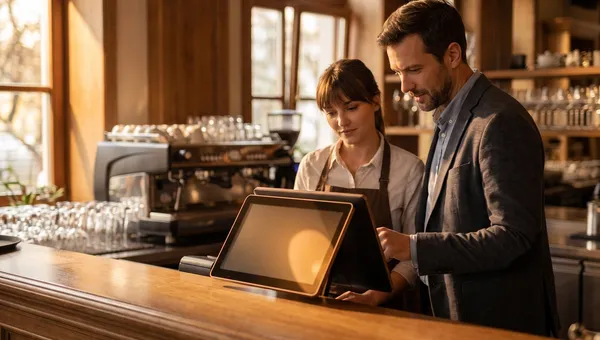
The POS is where revenue happens, so it should be the backbone - fast, reliable offline, and tightly integrated with online ordering, QR-code menus, and delivery channels. When dine-in, takeaway, and online orders all flow into one system, your sales and inventory data stay clean automatically.
Inventory and supply chain
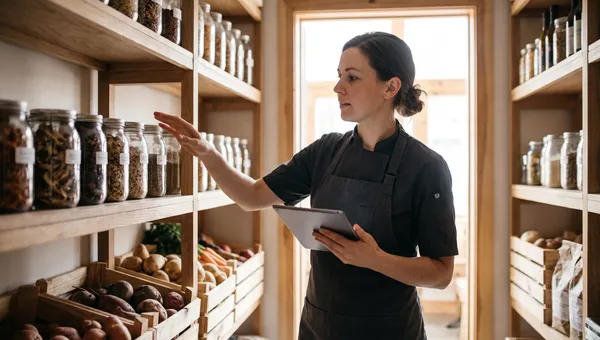
Look for real-time stock tracking, recipe-level depletion, purchase orders, supplier management, and low-stock alerts. This module is usually where an ERP pays for itself, because tightening food cost by even two or three points drops straight to the bottom line.
Menu and recipe management
Central menu management lets you control items, prices, modifiers, and availability across all locations from one screen. Recipe costing ties each dish to its ingredients so you always know your margin and can re-price quickly when supplier costs move.
Staff, scheduling, and payroll
Labor is typically your second-largest cost. Strong ERPs handle scheduling, time tracking, roles and permissions, and feed hours into payroll. Tie this to sales data and you can schedule against forecast demand instead of guesswork.
Reporting and analytics
This is the payoff module. Consolidated dashboards should show sales, food cost, labor cost, and profit per location in real time, with the ability to drill from the group view all the way down to a single item or shift.
How to Choose the Right Restaurant ERP
Use a structured process rather than reacting to the slickest demo. A practical path looks like this:
- Map your pain points. List the three problems costing you the most time or money today, and let those drive the search.
- Prioritise must-have modules. Separate what you need now from what is nice to have later.
- Insist on real integration. "Integrates with" can mean a nightly export. Confirm data flows in real time across modules.
- Check multi-location support. Centralized menus, per-branch reporting, and role-based access are non-negotiable for groups.
- Test the offline mode. Your POS must keep selling when the internet drops mid-service.
- Model the total cost. Add up software, hardware, payment fees, onboarding, and per-location charges - not just the headline price.
- Run a pilot. Roll out to one location first, prove it works, then scale to the rest.
Cloud vs. On-Premise ERP
On-premise ERP runs on servers you own and maintain. It offers maximum control but high upfront cost, slow updates, and an IT burden most restaurants don't want. Cloud (SaaS) ERP runs in the vendor's infrastructure, updates automatically, scales to new locations in minutes, and is accessible from anywhere - which is why nearly all new restaurant deployments in 2026 are cloud-based. For most operators the real question is which cloud platform, not whether to go cloud at all.
How Much Does Restaurant ERP Software Cost?
Pricing usually combines a monthly software subscription (often per location or per terminal), hardware, payment-processing fees, and a one-time onboarding or setup fee. Watch for two hidden costs that quietly erode value: per-order commissions on online orders, and charges that scale painfully as you add branches. Commission-free online ordering and transparent per-location pricing can save a growing group thousands every month. Always model three years of total cost, including the locations you plan to open.
Common Mistakes to Avoid
- Buying for features you'll never use instead of the few that actually move your numbers.
- Underestimating onboarding - data migration and staff training make or break adoption.
- Ignoring offline reliability until the day the internet fails in the middle of service.
- Accepting per-order commissions that punish you for growing your own online sales.
- Skipping the pilot and rolling out to every location at once.
Frequently Asked Questions
What is the difference between a restaurant POS and an ERP?
A POS handles orders and payments at the point of sale. An ERP includes POS capability but goes further, connecting inventory, menus, staff, suppliers, and finance across every location into one system with shared data.
Do small restaurants need ERP software?
A single small restaurant can often run on a good POS with built-in inventory and online ordering. ERP becomes worthwhile once you have multiple locations, complex inventory, or a team that spends real time reconciling data between separate tools.
How long does it take to implement restaurant ERP?
A modern cloud platform can have a single location live in days. Multi-location rollouts typically run a few weeks, driven mostly by menu setup, data migration, and staff training rather than the software itself.
Is cloud ERP secure for restaurants?
Reputable cloud vendors offer encryption, automatic backups, role-based access, and compliance certifications that exceed what most restaurants could maintain on their own servers. Cloud is generally more secure than a back-office PC, not less.
Can ERP software reduce food costs?
Yes. By tracking inventory at the recipe level and tying it to live sales, ERP reveals waste, over-ordering, and theft. Many operators recover the cost of the software through food-cost savings alone.
Bring It All Together with Quickbuy
You don't have to buy a heavy legacy ERP to get ERP-grade control. Quickbuy unifies your POS, online ordering, QR-code menus, inventory, menu management, staff, and real-time analytics in one cloud platform built for restaurants - with commission-free online ordering and transparent pricing that scales cleanly as you add locations. Start with the modules you need today and grow into the rest without re-platforming. Explore plans on our pricing page and see how much simpler running a multi-location restaurant can be.